
WordPressのブロックテーマには、さまざまなテンプレートが標準で用意されています。
例えば、投稿ページのデフォルト設定は「1カラム(標準)」ですが、テーマによっては「2カラム(サイドバー)」などの別テンプレートがあらかじめ用意されている場合もあります。
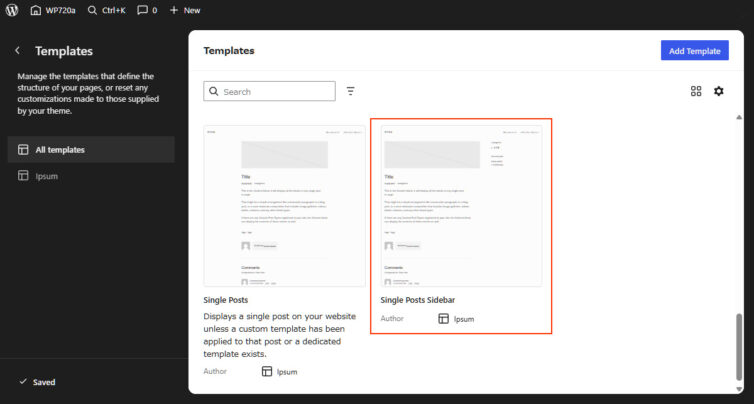
しかし、標準設定が 1カラム のため、すべての投稿を 2カラム にしたい場合は、これまでは投稿ごとに手動でテンプレートを指定するか、1カラム のテンプレートファイルを2カラムのコードで直接上書きする必要がありました。
そこで今回は、テンプレートを変更せずに 投稿のデフォルトテンプレートとして、はじめから 2カラム(サイドバー)を読み込ませるTips をご紹介します。
サンプルコード
サンプルコードでは、新しいデフォルトテーマ ipsum を使ってみます。
以下のコードを my-plugin.php に張り付けてみてください。
<?php
/**
* 投稿デフォルトテンプレート(single.html)を
* single-sidebar.html(サイドバー付き)にする
*
* WordPress 7.1/7.2
*
* single.html → single-sidebar.html
* テンプレート未指定 → single-sidebar.html
* テンプレートを個別指定 → 設定したテンプレート
*
* ※ wp_page_template は変更しない
* ※ REST API のレスポンスだけデフォルト時に変更する
*/
function nendebcom_default_single_template_hierarchy( $templates ) {
// 投稿ページだけ
if ( ! is_singular( 'post' ) ) {
return $templates;
}
// 変更するテンプレートファイル
$sidebar_template = 'single-sidebar.html';
// 投稿チェック
$post_id = get_queried_object_id();
if ( $post_id ) {
// 個別テンプレート指定
$page_template = get_post_meta( $post_id, '_wp_page_template', true );
// 個別指定されている場合は、その指定を優先
if ( ! empty( $page_template ) && 'default' !== $page_template ) {
return $templates;
}
}
// 未指定の場合だけ 変更するテンプレートに変更
array_unshift(
$templates,
$sidebar_template
);
return array_values( array_unique( $templates ) );
}
add_filter( 'single_template_hierarchy','nendebcom_default_single_template_hierarchy', 10, 1 );
/**
* 投稿編集画面 テンプレート表示を「single-sidebar」にする
*
* REST API の 投稿データに含まれる template を single-sidebar.html にする。
* single.html → single-sidebar.html
*/
function nendebcom_default_template_rest_response( $response, $post, $request ) {
//物件詳細ページだけ
if ( 'post' !== $post->post_type ) {
return $response;
}
// テーマ名 slug
$theme_slug = 'ipsum';
// 変更するテンプレート slug
$sidebar_slug = 'single-sidebar';
// テーマテンプレート slug
$theme_template_slug = $theme_slug . '//'. $sidebar_slug;
// 個別テンプレート指定を確認
$page_template = get_post_meta(
$post->ID,
'_wp_page_template',
true
);
// 個別指定されている場合は変更しない
if ( ! empty( $page_template ) && 'default' !== $page_template ) {
return $response;
}
// single-sidebar が登録されているか確認
$block_template = get_block_template(
$theme_template_slug,
'wp_template'
);
if ( ! $block_template ) {
return $response;
}
// RESTレスポンスだけ変更
$data = $response->get_data();
$data['template'] = $sidebar_slug;
$response->set_data( $data );
return $response;
}
add_filter( 'rest_prepare_post', 'nendebcom_default_template_rest_response', 10, 3 );
他のテーマをご利用の場合は以下の部分をテーマに合わせて変更してください。
// 変更するテンプレートファイル
$sidebar_template = ‘single-sidebar.html’;
// テーマ名 slug
$theme_slug = ‘ipsum’;
// 変更するテンプレート slug
$sidebar_slug = ‘single-sidebar’;
※slugは theme.json 参照してみてください。
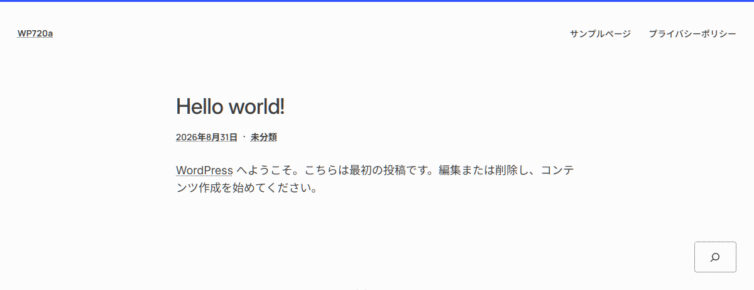
コード未設定 ※標準(1カラム )で表示
コード設定後 ※2カラム で表示
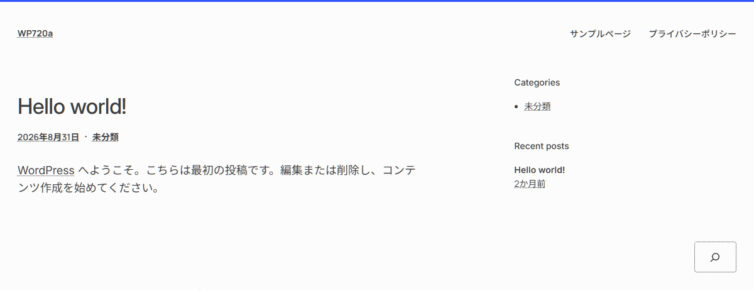
編集画面でも2カラム指定になっています。
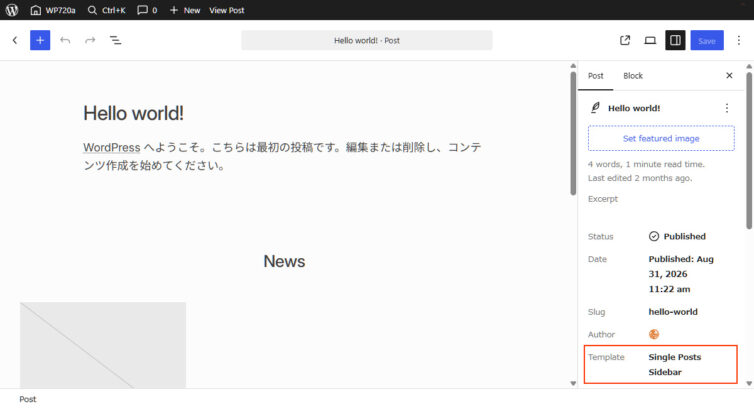
個別に投稿を1カラムに戻したい場合はこちらでテンプレート変更をおこなえば、この投稿だけ1カラムになります。